
Share a VPS
Do you want to share your VPS without giving out the password? Keep an eye on what others are doing on it? NCC includes an access and team system designed for just that.
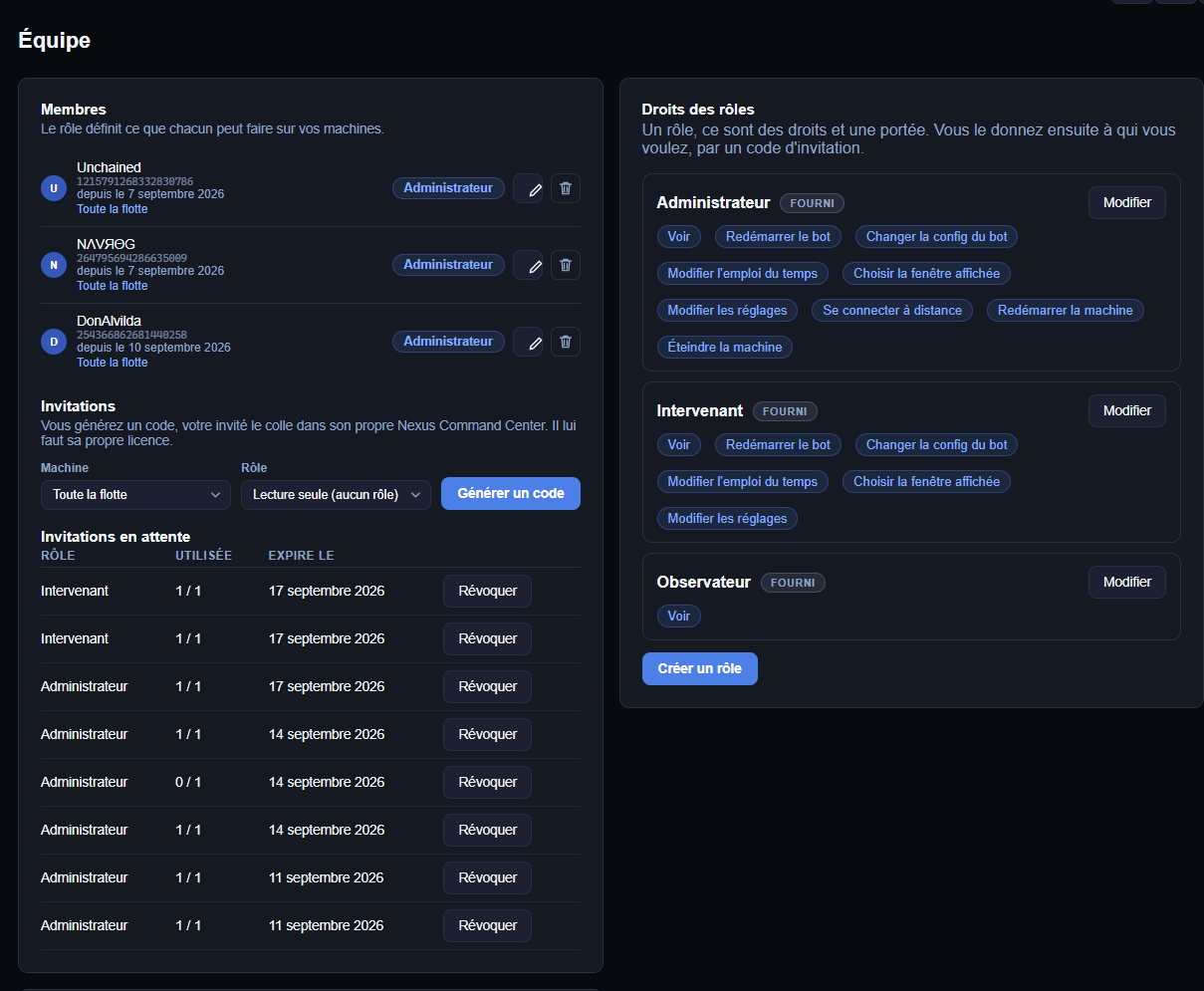
The roles
Three roles are pre-configured — you can edit them. Each role has specific permissions, which are displayed next to its name.
| Role | What it can do |
|---|---|
| Director | Full access, including the RDP connection. |
| Speaker | Works on the VPS only from the NCC — no RDP connection; it cannot connect to your machine. |
| Observer | View your VPS on the screen wall, without being able to do anything. Ideal for monitoring, for example in Hades. |
Grant access using a code
- Create an access code from the Team page.
- Select the relevant VPSs — one, several or all of them — and the assigned role.
- Pass the code on to the person.
As soon as she enters it into her NCC, your VPSs appear on her screen wall, and she only carries out the tasks permitted by her role.
Note
You can cancel access at any time from this page: the person will immediately lose access to your VPS.
Keep track of what is being done
The ‘Log’ tab records all actions carried out on your VPSs: who did what, on which machine, and when.