Monitor from your smartphone
You don’t need to be sitting at your computer to keep an eye on your machines. The** nexusclient.eu** website displays your fleet and lets you manage it from any browser — including your mobile phone’s.
No app to install: it’s a web page.
Your personal account
Go to nexusclient.eu/compte and log in with Discord.
Your dashboard is divided into three tabs:
- Statistics — managing your statistics remotely/
- My licences — your keys and their remaining validity periods.
- My VPS — your remote machines. That’s the one we’re interested in here.
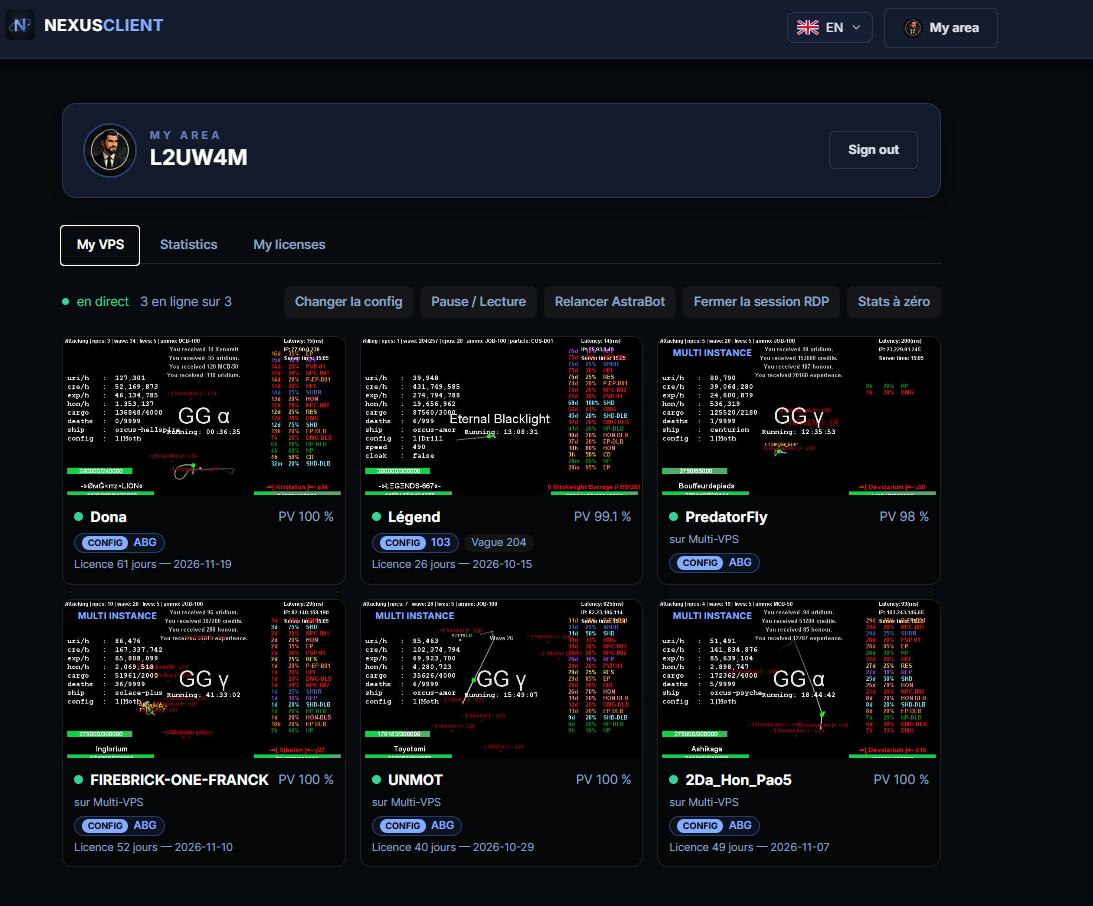
The ‘My VPS’ tab
It lists all the machines linked to your account, each with:
- Agent availability — the machine answers, or is shown as** unreachable**.
- A live view of their screen — you can see what’s happening on it without having to log in remotely. A** Pause/Play** button stops the stream when you don’t need it.
- The bot’s status — what it’s doing, its activity, its shield, its session statistics.
- Its dimensions — so you can see at a glance whether the machine can support the load.
Note
It is the same fleet as in the Command Center app. The website is not a separate product: it is the same account and the same list of machines, viewed via a browser.
What you can do remotely
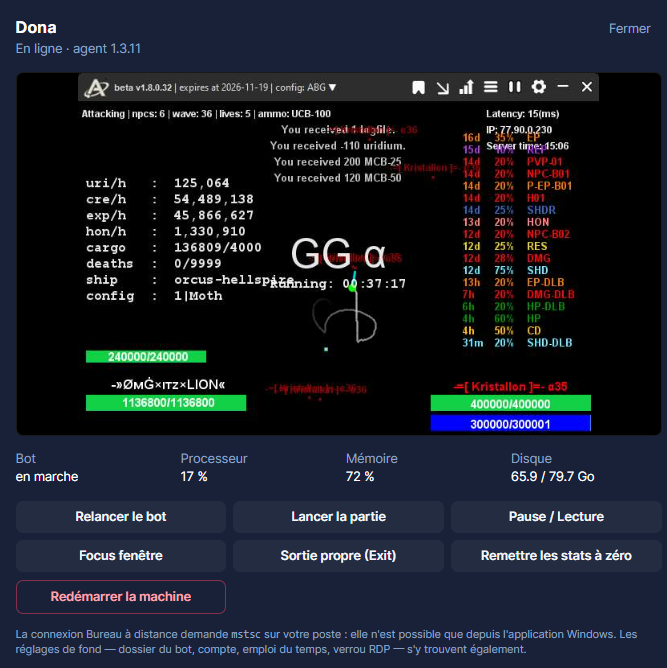
A number of features, available via your mobile phone:
Attention
Closing session RDP will terminate the current session. If anyone is working on the machine at that moment, their screen will go blank without warning. Check the active session indicator before clicking.
Astuce
A bot that stopped running overnight can be restarted with just three keystrokes from the comfort of your bed. This is where this page really comes into its own: there’s no need to switch on a computer to get a machine up and running again.
In practical terms, from a mobile phone
- Open nexusclient.eu in your phone’s browser.
- Log in with Discord.
- Go to My Account, then the** My VPS** tab.
Astuce
Add the page to your home screen: it will open like an app, taking you straight to your fleet, without having to go back through the browser or log in again.
If the list is empty
The message No machines on your account at present means that no agent has yet been linked to your account. It is the agent, installed on the machine, that causes it to appear here.
Install the agentIf a machine is ‘unreachable’
The agent is no longer responding. Common causes include: the machine is switched off, it has lost its connection, or the agent has been stopped. Reconnect to the machine using your usual method to check.
Rights & access